Quick Guide
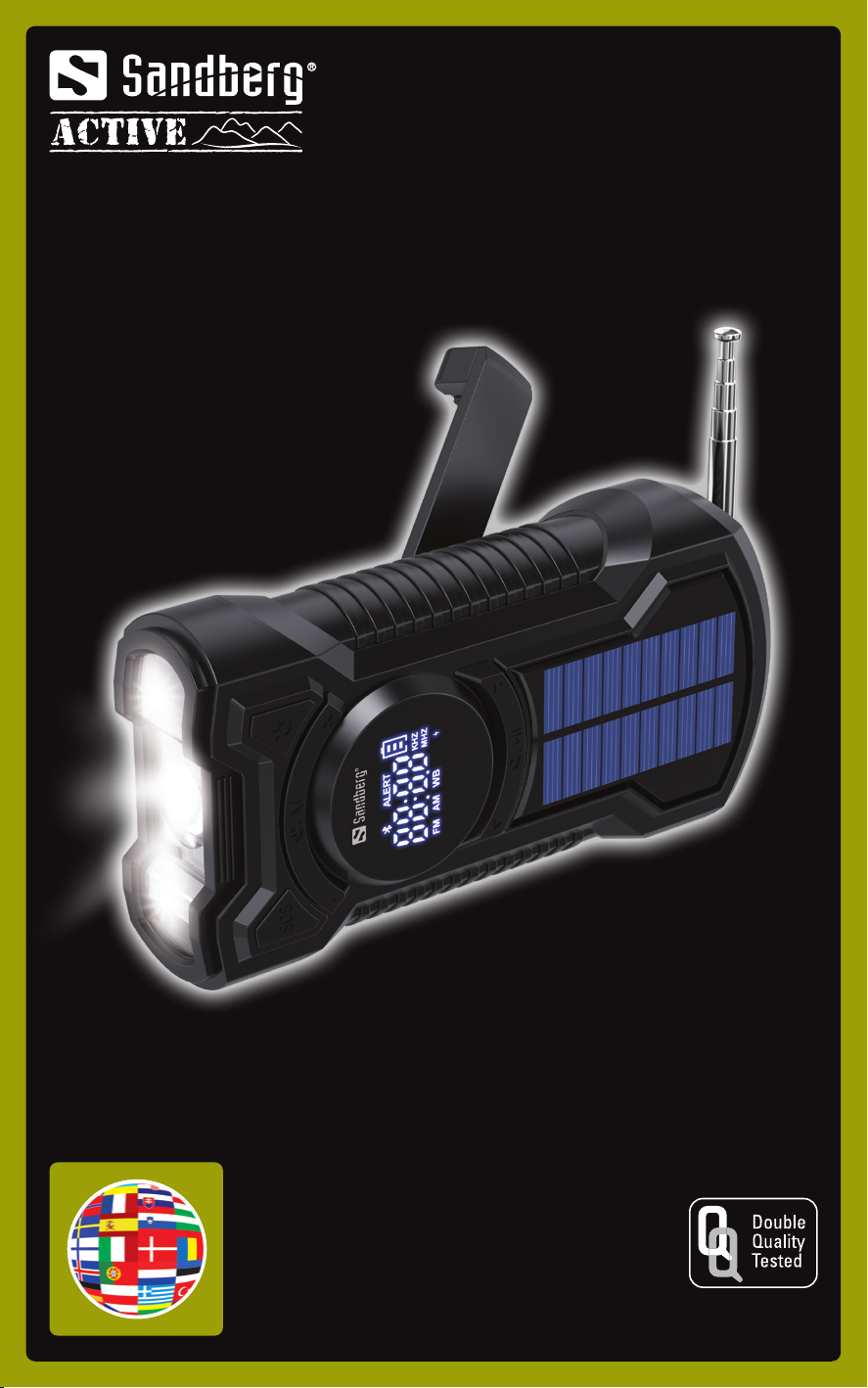
Survivor Radio
All-in-1 5000
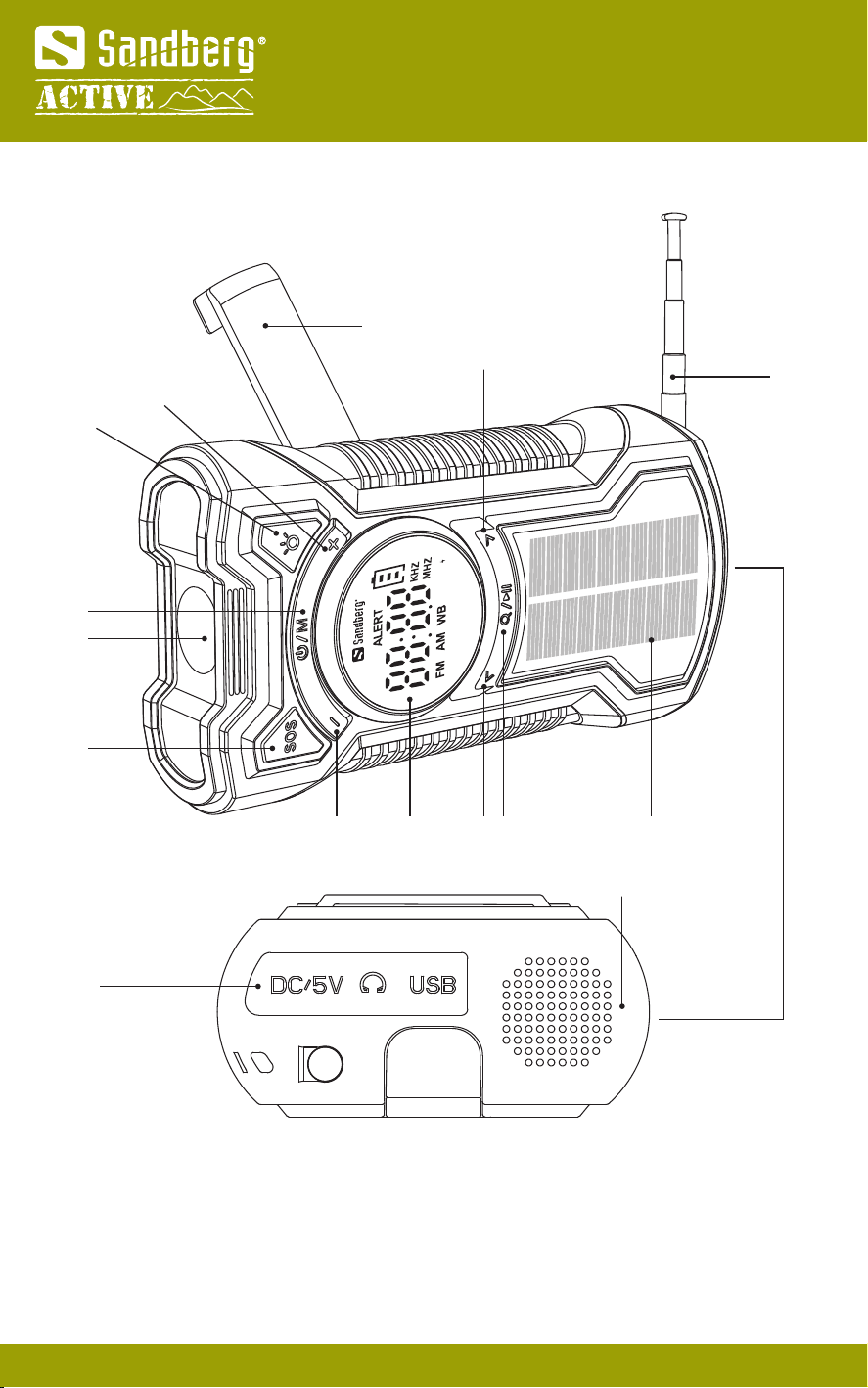
Product overview
2
14
15
1.
Power / Mode switching
2.
Lights
3.
s.o.s.
4.
Volume -
5.
Display
6. Skip station / song <
7.
Search/Select/Pause
8.
Solar panel
9. Retractable antenna
10.
Skip station / song >
11. Hand crank
12.
Volume +
13.
Light switching
14.
Charging / Headphone
15.
Speaker
2
3
47
10
65 8
1
9
11
13
12
Quick Guide
7
1
5
6
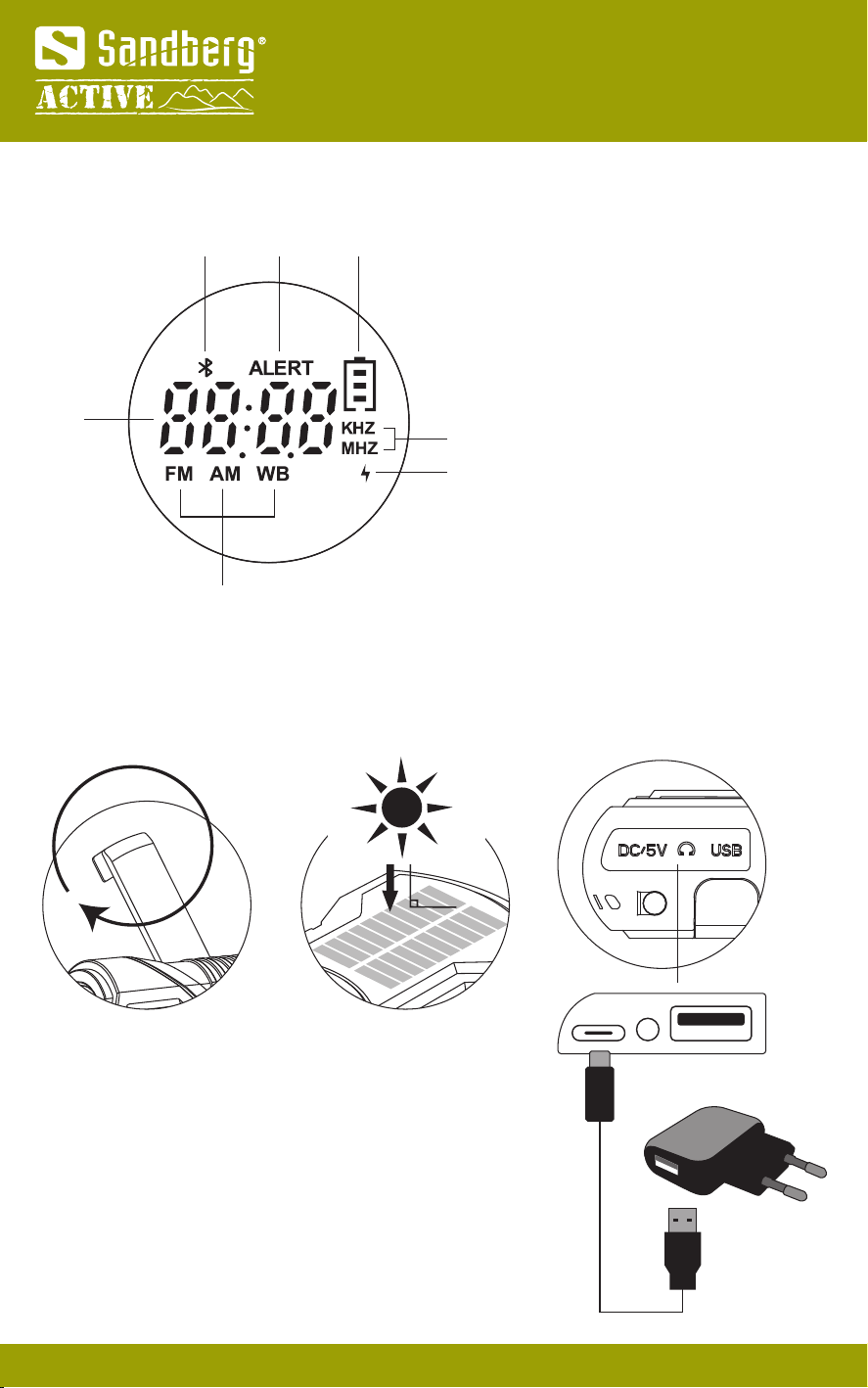
Display overview
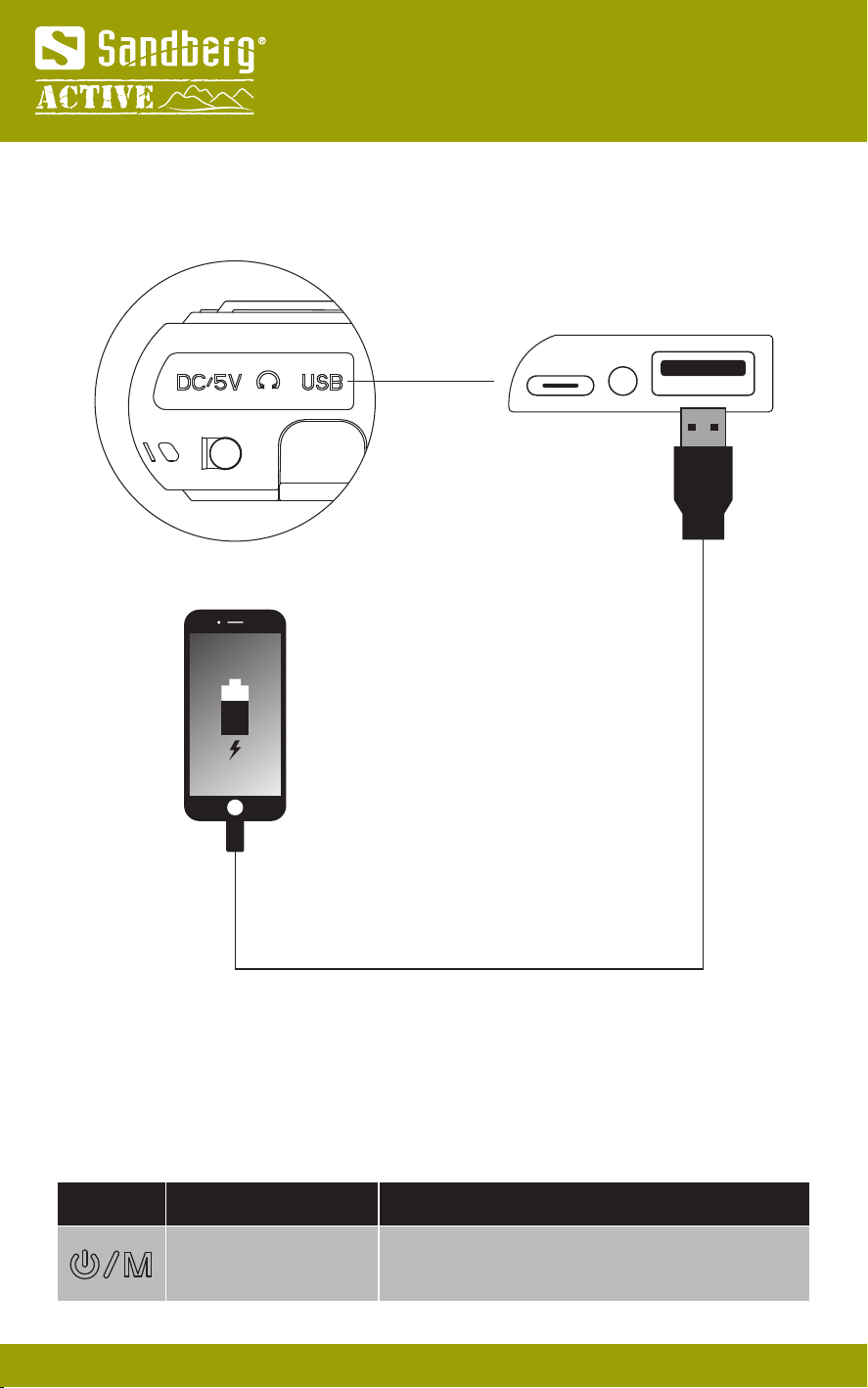
Charging the internal battery
3
1. Information display (Numbers or text 4 digits)
2. Bluetooth speaker mode
3. WB weather alert on
4. Battery status
5. Frequency KHz / MHz
6. Charge indicator
7. Radio mode FM / AM / SW
3 42
Turn the crank at 120
- 150 rpm (2 - 2.5 times per second). 1 minute of turning can power the radio for about 3 minutes.
Approximately
charging time by the hand crank (battery 0-25%): 5 hours
Make sure to place the solar panel in direct sunlight with no shadow.
Approximately charging time by the solar panel (battery 0-25%):
20 hours
Hand crank Solar panel AC charger
USB-C
USB-A
Quick Guide
Charge device
4
USB-A
Quick Guide
5
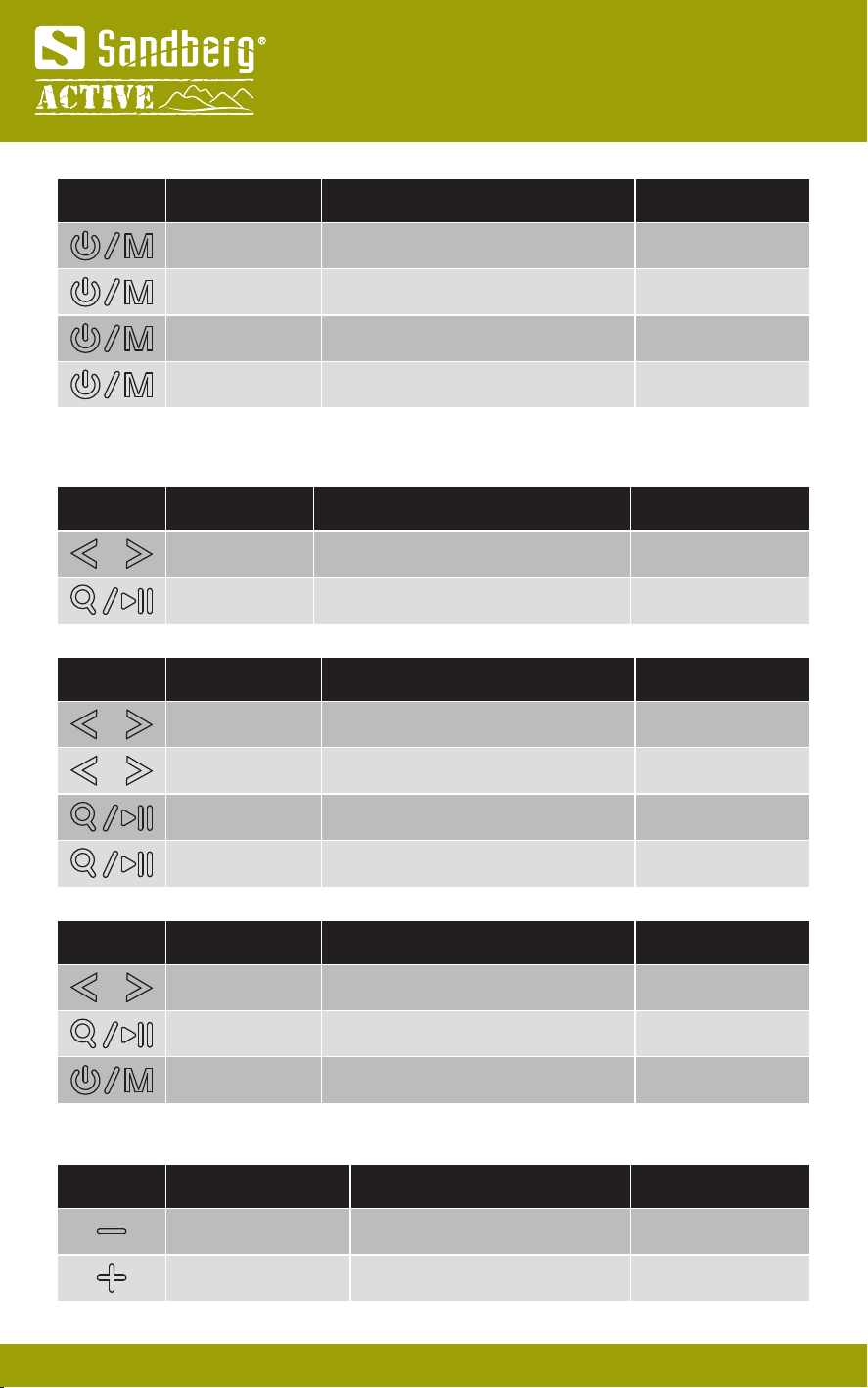
Operation
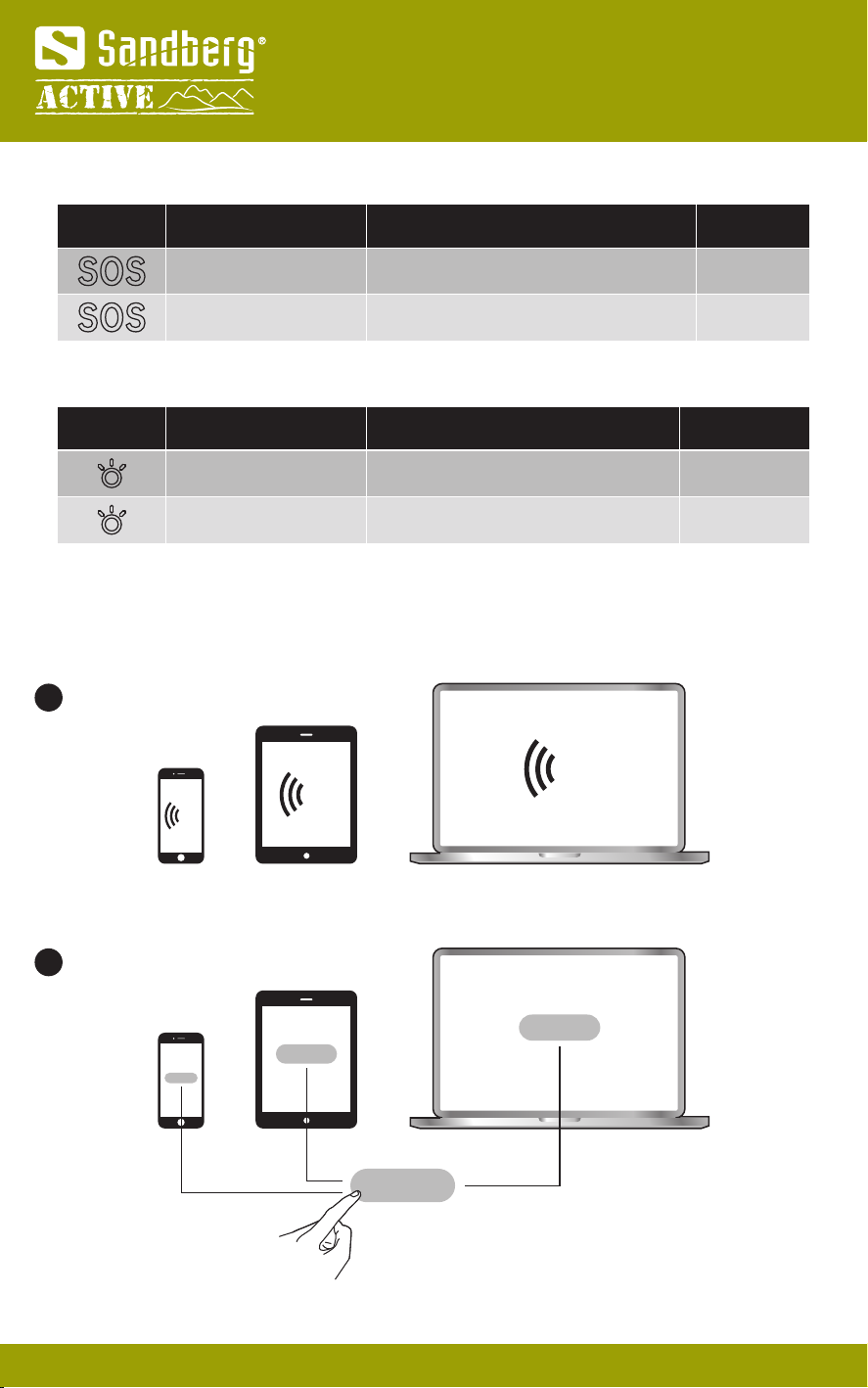
Symbol Press Function
Long (3 sec) Power on/off
Symbol
Speaker volume setting
Press Function
Short (repeating) Volume down
Volume up
Options
Steps 0-27
Steps 0-27
Short (repeating)
Symbol Press Function
Short (toggle) Select mode
Select mode
Select mode
Select mode
Options FM
AM
SW
Bluetooth
Short (toggle)
Short (toggle)
Short (toggle)
Symbol Press Function
Short Frequency up / down
Frequency up / down
Full auto search and storage
Select prestored channels
Options
Manual setting
Auto search
P01-P99
P01-P99
Long
Long
Short (toggle)
Symbol Press Function
Short (toggle) Select songs forward / backwards
Pause/Play
Options
Skip-next/previous
-
Short (toggle)
Quick Guide
6
Symbol
SOS alarm (Warning! Loud horn sound and red light)
Press Function
Short (first time) Activate SOS alarm horn & light
Deactivate SOS alarm horn & light
Options
-
-
Short (second time)
Symbol
LED light
Press Function
Short (toggle) Turn on/off center torch
Turn on/off side torches
Options
Long beam
Short beam
Long (toggle)
Bluetooth Mode
1
2
Turn on Bluetooth on your mobile phone or tablet or computer.
Look for "421-03" in your Bluetooth search list and select connect.
When no device is connected, it will be visible for your Bluetooth search.
BT
BT
BT
Quick Guide
7
CE letter of conformity
Quick Guide
Warranty
There is a five-year warranty on your Sandberg product.
Please read the warranty terms and register your new Sandberg product at https://www.sandberg.world/warranty
helpdesk.sandberg.world
Helpdesk
Years
Warranty
For information on handling electronic waste, see https://www.sandberg.world/weee
8
NOTE: If not used regularly, please recharge the powerbank at least every 3 months to maintain optimal performance.
Capacity: 5000 mAh (18.5 Wh)
Solar Panel Voltage: 5V, 95 mA (0.48W max)
Hand crank power: 5V, 380 mA (1.9W max)
USB-A output: 5V/2A USB-C input: 5V/1.5A
Radio AM: 522 - 1710KHz
Radio FM: 87.0 - 108.0 MHz
Product weight: 304.5g
Made in China
Item no. 421-03
Sandberg A/S
Bregneroedvej 133D,
3460 Birkeroed, Denmark